
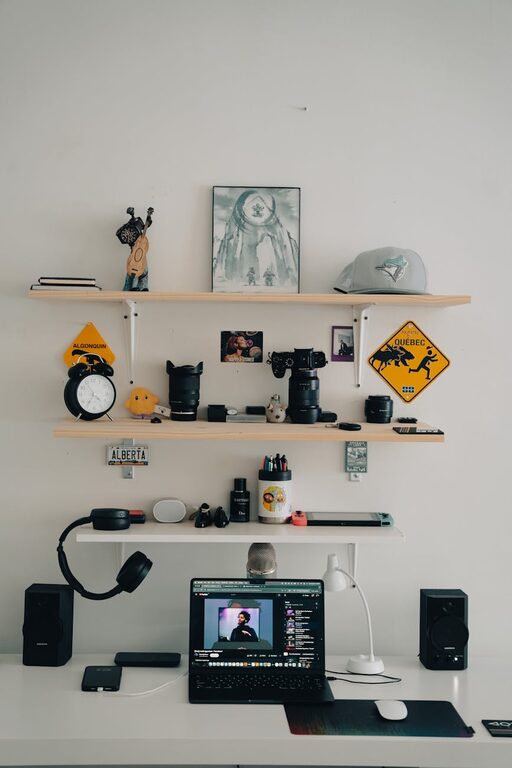
In today’s fast-paced world, our digital lives can quickly become overwhelming. Between countless emails, files scattered across devices, and endless notifications, it’s easy to feel lost in digital clutter. Taking the time to declutter your digital space can improve your productivity, reduce stress, and make it easier to find what you need when you need it. This guide will walk you through practical steps to clean up your digital life effectively.
Why Decluttering Your Digital Life Matters
Just like physical clutter, digital clutter can slow you down and cause unnecessary stress. A cluttered digital environment can lead to:
– Difficulty finding important files or emails
– Wasted storage space on your devices
– Increased distraction due to excessive notifications
– Reduced device performance
By decluttering, you create a more organized, efficient space that supports your day-to-day tasks and wellbeing.
Step 1: Organize Your Files and Folders
Start with your digital files, whether on your computer, cloud storage, or external drives.
Tips for File Organization
– Create a clear folder structure: Establish main folders (e.g., Work, Personal, Photos) and subfolders for specific categories or projects.
– Use descriptive file names: Instead of vague names like “Document1,” use clear titles like “2024_Tax_Return.pdf.”
– Delete duplicates and old files: Remove any unnecessary copies or files you no longer need.
– Back up important files: Use cloud services or external hard drives to keep backups safe.
Tools to Help
Popular tools such as CCleaner, Duplicate File Finder, or built-in system utilities can help identify duplicates or large files you might want to delete.
Step 2: Clean Up Your Email Inbox
Email is often the biggest source of digital clutter.
Strategies to Tame Your Inbox
– Unsubscribe from unwanted newsletters: Use tools like Unroll.me or manually unsubscribe from unread or irrelevant emails.
– Create email folders and filters: Automatically organize incoming emails by category, sender, or priority.
– Archive or delete outdated messages: Keep only recent and important emails in your main inbox.
– Set regular email check times: Avoid constant email interruptions by scheduling specific times to check and respond.
Step 3: Manage Your Apps and Software
Too many apps can slow devices down and cause distraction.
How to Streamline Your Apps
– Uninstall unused apps: Go through your devices and remove apps you haven’t used in months.
– Organize apps into folders: Group related apps for easier access and reduce screen clutter.
– Update regularly: Keep apps updated to ensure security and better performance.
– Limit notifications: Turn off non-essential notifications to reduce distractions.
Step 4: Tidy Up Your Browser
Your internet browser can accumulate unnecessary data and tabs.
Browser Decluttering Tips
– Close unused tabs: Keep open only the tabs you are actively using.
– Organize bookmarks: Delete old bookmarks and categorize new ones in folders.
– Clear cache and cookies: This improves browser speed and protects privacy.
– Use extensions wisely: Disable or remove extensions you don’t use.
Step 5: Optimize Device Storage and Performance
Keeping your device running smoothly is essential to a clutter-free digital life.
Maintenance Tips
– Delete large, unnecessary files: Videos and high-resolution images can take up a lot of space.
– Empty your recycle or trash bin: Files in this folder still take up space until permanently deleted.
– Use storage management tools: Most devices have built-in storage tools to analyze and suggest cleanups.
– Restart devices regularly: This helps clear temporary files and improves performance.
Step 6: Set Up Regular Digital Decluttering Habits
Once you’ve cleaned up, maintaining order is key.
Suggestions for Maintaining a Clutter-Free Digital Space
– Schedule monthly or quarterly decluttering sessions.
– Organize files and emails as you create or receive them.
– Regularly review apps, bookmarks, and notifications.
– Practice mindful digital habits, such as limiting screen time and reducing multitasking.
Conclusion
Decluttering your digital life is a powerful way to create a calmer, more productive environment. By organizing files, managing emails and apps, and keeping devices optimized, you can reduce stress and improve daily efficiency. With regular maintenance and mindful habits, your digital space will stay clean and easy to navigate. Start small with one category today, and enjoy the benefits of a decluttered digital life!